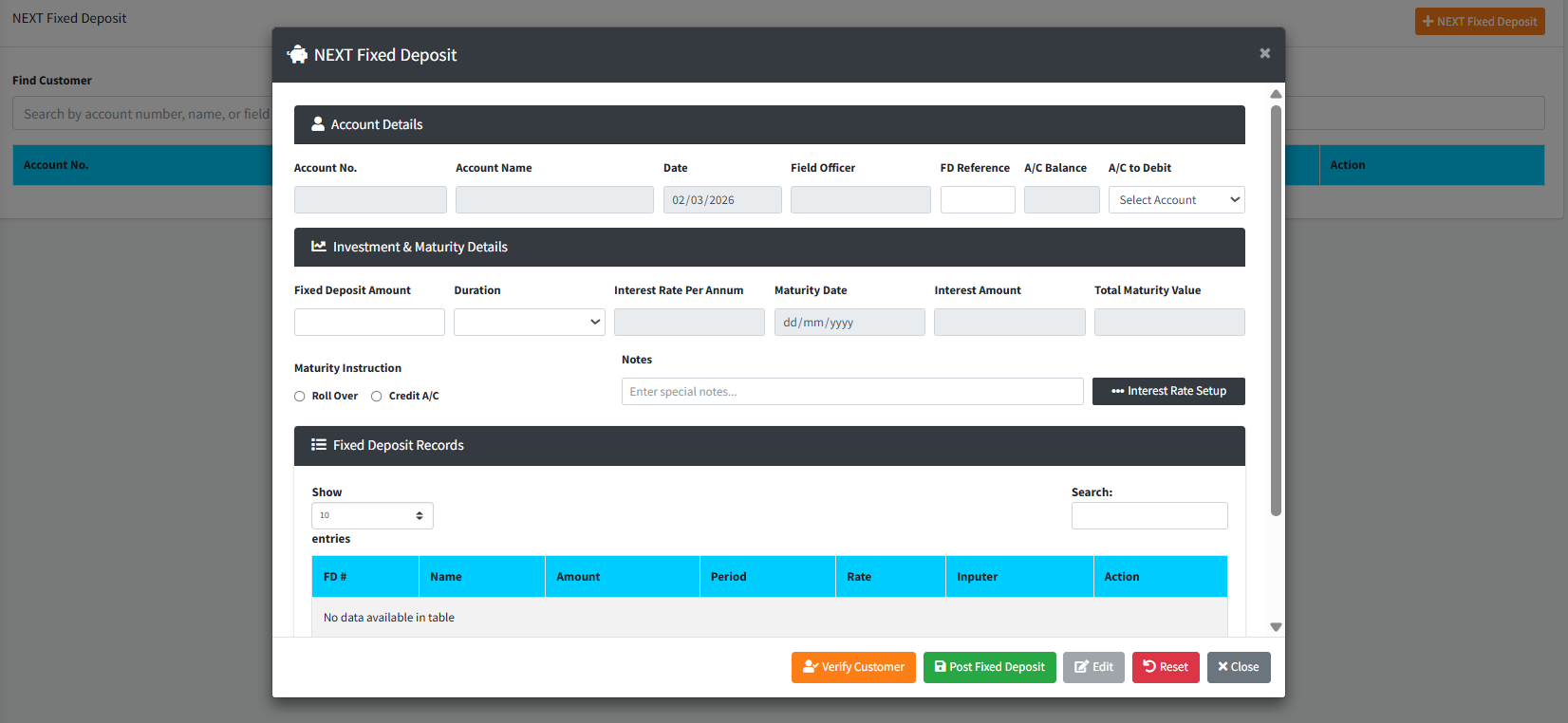
The NEXT Fixed Deposit page is the primary interface for creating new investment accounts for customers. This module automates the calculation of interest and maturity dates based on pre-configured investment periods, ensuring that staff can quickly and accurately set up term deposits while enforcing strict balance and reference number validations.
PURPOSE
- Securely initiate new Fixed Deposit (FD) applications for bank customers.
- Automatically calculate Interest Earned and Total Maturity Value based on the chosen duration.
- Enforce mandatory “Maturity Instructions” so the system knows what to do at the end of the term (Renew or Payout).
- Verify customer identity via the integrated Profile Picture and Signature modal.
- Ensure the source account (Savings/Current) has sufficient funds to cover the investment.
STEP-BY-STEP GUIDE
Step 1 — Find the Customer
- Navigate to the Back Office Module and select NEXT Fixed Deposit page.
- In the Find Customer search box, enter the customer’s name, account number, or assigned field officer.

- Click the blue SELECT button next to the customer’s name to open the application modal.
Step 2 — Verify Customer Identity (Optional but Recommended)
- To ensure the person requesting the investment is the true account holder, click the blue Verify Customer button at the bottom of the popup.

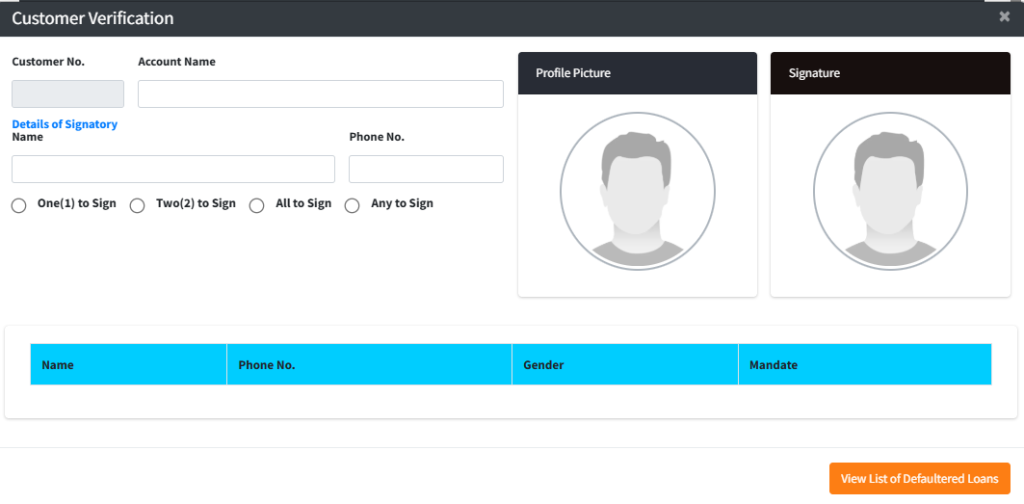
- Compare the physical person with the Profile Picture and Signature displayed in the verification window.
Step 3 — Configure Source & Investment
- A/C to Debit: Select which of the customer’s existing accounts (e.g., Savings) will be used to fund this investment. (Note: The system will automatically display the current balance to ensure there are enough funds).
- FD Reference: Enter a 7-digit numeric code from the physical application form. This is a unique, mandatory identifier.
- Fixed Deposit Amount: Type the principal amount the customer is investing.
Step 4 — Select Duration and Review Yields
- Duration: Choose the investment period from the dropdown (e.g., 91 days, 182 days).
- Review Auto-Calculations: The system will immediately calculate the following:
- Interest Rate: Fetched from bank settings.
- Maturity Date: The exact date the term ends.
- Interest Amount: The total profit the customer will earn.
- Total Maturity Value: The principal + interest total.
Step 5 — Set Maturity Instructions
You must select one of the following instructions for what happens on the Maturity Date:
- Roll Over: The full amount (Principal + Interest) will be automatically reinvested into a new term.
- Credit A/C: The full amount will be automatically paid back into the customer’s savings/source account.
Step 6 — Finalize and Post
- Click Post Fixed Deposit.
- Review the confirmation prompt and click Confirm.
- The transaction is saved in an “Unauthorised” state and will appear in the Fixed Deposit Records table at the bottom for supervisor approval.
CONFIGURATION: Interest Rate Setup
Managers can adjust the available terms and rates by clicking the Interest Rate Setup button inside the form.
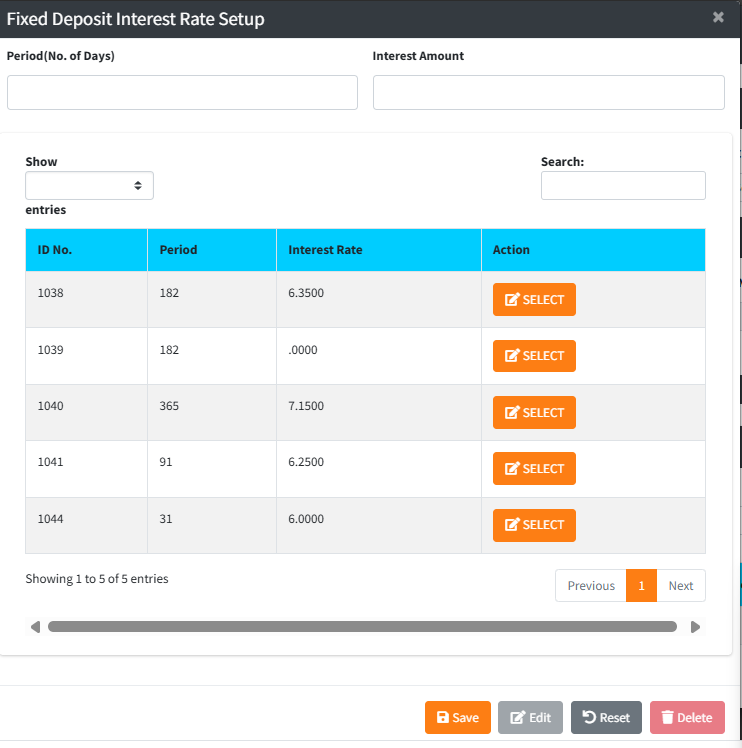
- Enter the Period (Days) and the corresponding Interest Amount/Rate.
- Click Save to update the bank-wide investment options.
KEY NOTES
- 7-Digit Reference: The system strictly enforces a 7-digit numeric FD reference. If the number has already been used or is too short, the save will be blocked.
- Insufficient Funds: You cannot create a fixed deposit if the “A/C to Debit” has a balance lower than the investment amount.
- Auto-Calculations: The math for interest is based on the “Per Annum” or “Monthly” setting of your branch, as shown next to the Interest Rate label.