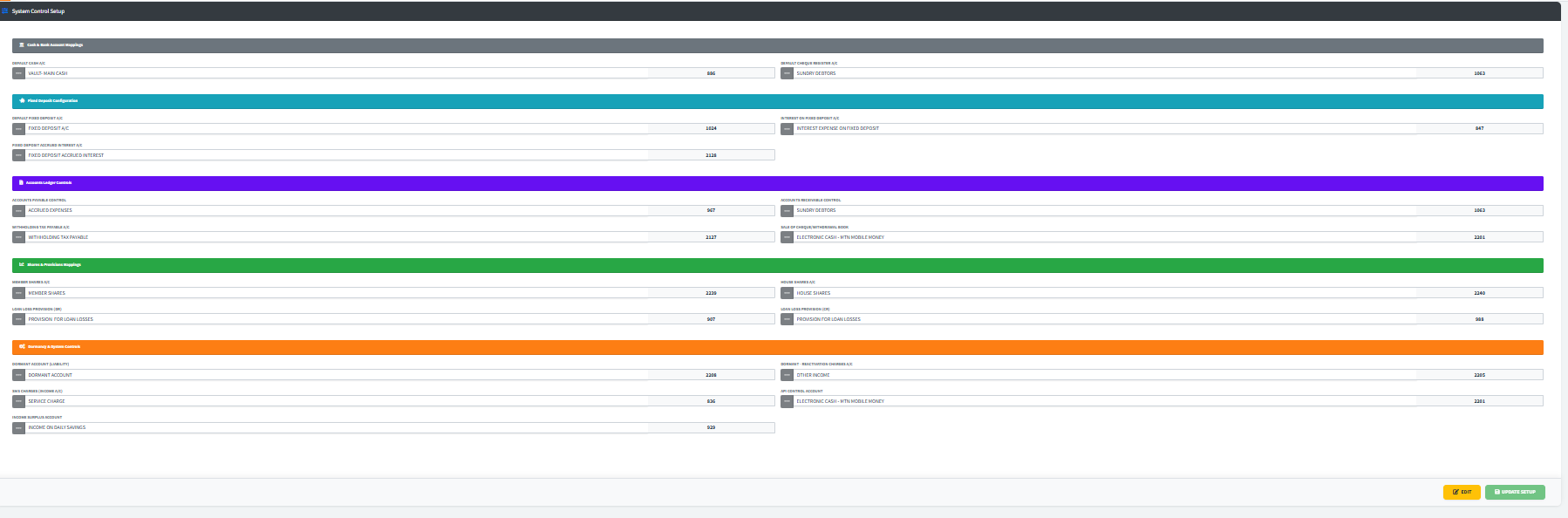
The Control Account Setup module is the central mapping engine for the institution’s double-entry accounting system. It allows administrators to link specific system events (such as paying out accrued interest on a Fixed Deposit or charging an SMS fee) to the correct General Ledger (GL) control accounts. Without these mappings, automated transactions across the system would fail to post or would post to incorrect balance sheet categories.
PURPOSE
- To ensure every automated system transaction (Dormancy charges, Loan provisions, share withdrawals) has a valid debit/credit destination.
- To provide a secure environment where critical accounting mappings can only be modified by authorized personnel.
- To maintain consistency in financial reporting by centralizing all control account definitions.
MAPPING CATEGORIES
1. Cash & Bank Account Mappings
- DEFAULT CASH A/C: The primary terminal/vault account for liquid cash.
- DEFAULT CHEQUE REGISTER A/C: The account used for tracking and clearing cheque transactions.

2. Fixed Deposit Configuration
- DEFAULT FIXED DEPOSIT A/C: Where the principal liability for customer fixed deposits is recorded.
- INTEREST ON FIXED DEPOSIT A/C: The expense account used to pay out interest to depositors.
- FIXED DEPOSIT ACCRUED INTEREST A/C: The liability account that holds interest currently owed but not yet paid.

3. Accounts Ledger Controls
- ACCOUNTS PAYABLE / RECEIVABLE CONTROL: Master accounts for third-party creditors and debtors.
- WITHHOLDING TAX PAYABLE A/C: The account for tracking taxes withheld on behalf of the revenue authority.
- SALE OF CHEQUE/WITHDRAWAL BOOK: An income account for tracking the sale of physical banking stationery.

4. Shares & Provisions Mappings
- MEMBER / HOUSE SHARES A/C: Equity accounts for tracking shares held by members or for the institution’s internal property.
- LOAN LOSS PROVISION (DR / CR): Crucial for risk management; these accounts track the expense and contra-asset entries for bad debt provisioning.

5. Dormancy & System Controls
- DORMANT ACCOUNT (LIABILITY): Where funds from inactive accounts are transferred for monitoring.
- DORMANT REACTIVATION CHARGES: Income account for fees collected when a member reactivates a dormant profile.
- SMS CHARGES (INCOME A/C): Revenue account for system-generated notification fees.
- API CONTROL ACCOUNT: Used for managing integrations with 3rd party financial APIs.
- INCOME SURPLUS ACCOUNT: The account where retained earnings or net surpluses are moved during year-end processing.

OPERATIONAL WORKFLOW
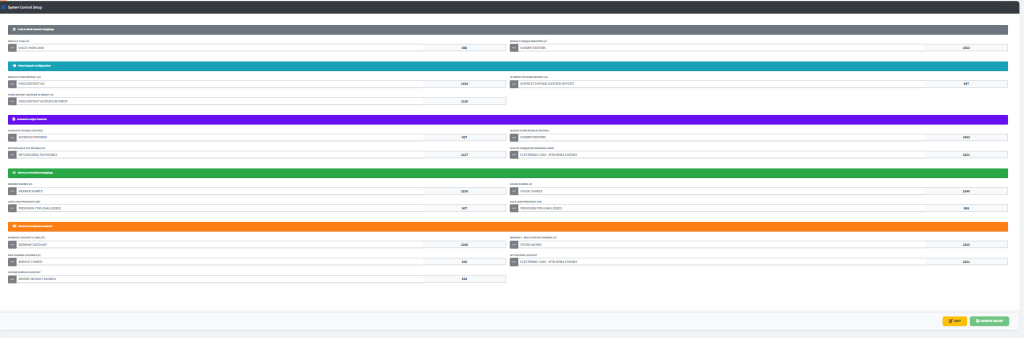
1. Reviewing Current Setup
- Navigate to the Admin Setup module and click on the Control Setup
- The page will automatically populate with current mappings.
- Note: All fields are initially locked (read-only) to prevent accidental data corruption.
2. Modifying a Mapping
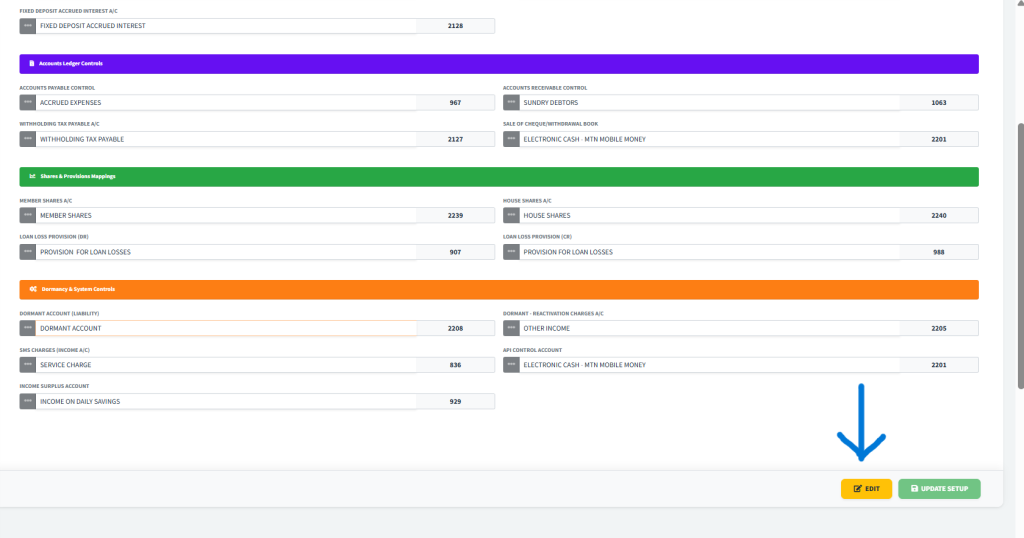
- Click the yellow EDIT button at the bottom of the page. This unlocks all selector buttons across the dashboard.
- Identify the specific mapping you need to change (e.g., SMS Charges).
- Click the lookup button for that row.
- Use the Find Ledger Account table to search for the correct GL account code or name.
- Click anywhere on the desired account row to select it. The code and name will automatically populate the control setup form.
- Repeat for any other accounts needing updates.
3. Saving Changes
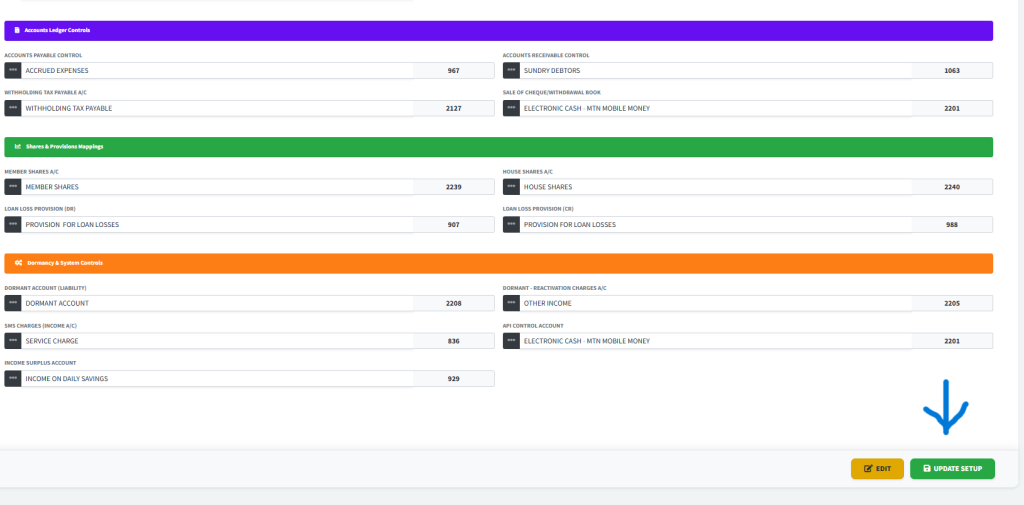
- Once all adjustments are made, click the green UPDATE SETUP button in the sticky footer.
- A confirmation prompt will appear. Click Confirm to lock in the new mappings.
- The system will refresh, and all fields will return to their secure, locked state.
KEY NOTES
- Irreversible Changes: modifying control accounts can affect historical reports if done mid-cycle. Ensure you consult with the Finance Head before re-mapping active accounts.
- Code-Only: While the system displays account names for your convenience, the underlying logic uses the unique
A/C Codefor processing. - Validation: The UPDATE SETUP button will only be active after clicking EDIT, ensuring you intentionally started a modification session.