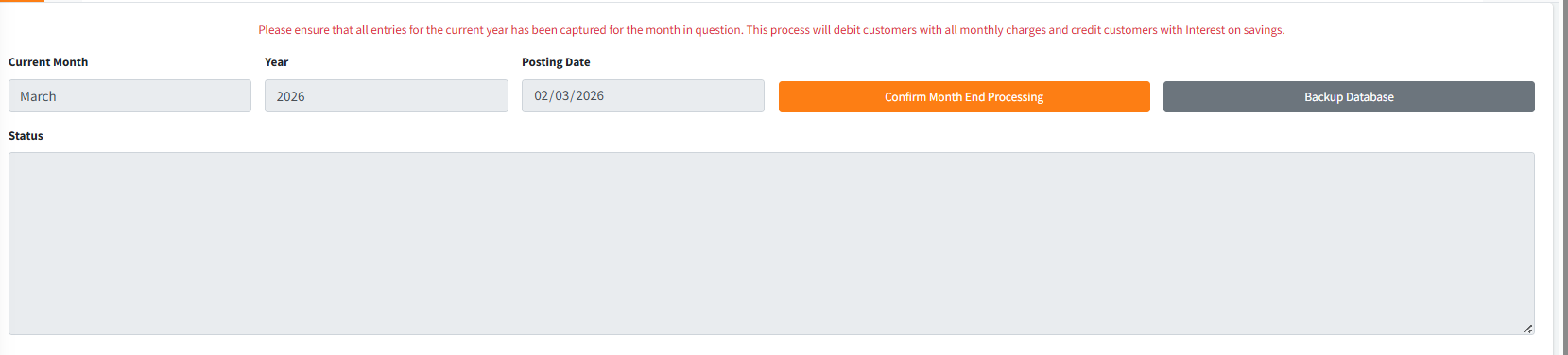
The End of Month (EOM) module is a critical, highly automated operational process designed to finalize all systemic and financial activities for a given month. It executes a rigorous sequence of validations to ensure absolute data integrity and a balanced General Ledger before systematically applying monthly charges, posting interest on savings, and advancing the system date to the new month.
PURPOSE
- To enforce financial security by verifying zero balances in Teller and Mobilizer accounts at month-end.
- To detect and prevent processing if unauthorized entries or outstanding General Ledger discrepancies exist.
- To automatically execute systemic month-end operations including bulk SMS alerts, dormant account blocking, and loan interest updates.
- To seamlessly automate the posting of monthly account maintenance charges and the accrual/distribution of savings interest.
- To serve as a hard cutoff point, finalizing the financial period and securely backing up institutional data.
STEP-BY-STEP GUIDE
1. Pre-Processing Prerequisites
Before initiating the End of Month process, the system enforces a strict validation protocol. The user must ensure the following:
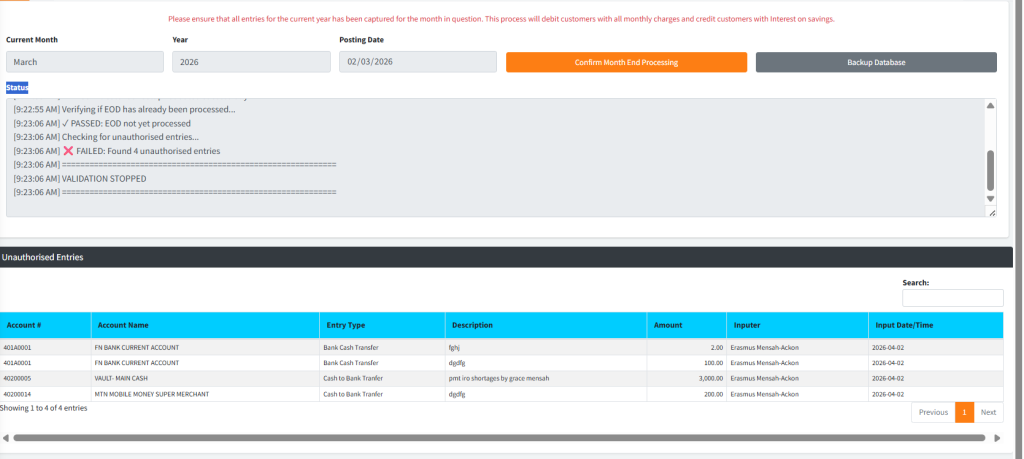
- Zero Unauthorised Entries: All pending entries in the system must be either authorized or rejected.
- Vault Sweeps: Teller and Mobilizer control accounts must be swept clean (zero balance).
- Resolved GL Differences: The General Ledger must balance perfectly. If a minor discrepancy exists, the user may be prompted to temporarily route the difference to a Suspense Account to allow processing to continue, pending manual investigation.
- Calendar Setup: The Smart App Calendar must be updated for the current processing year to recognize the exact month-end dates.
2. Executing the End of Month Routine
- Navigate to the Admin Setup module and select End of Month from the main side menu.
- Review the displayed Current Month, Year, and Posting Date. Ensure the system date precisely matches the physical last working day of the month.
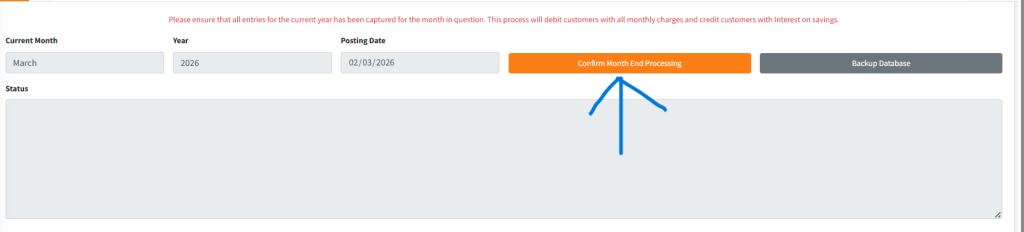
- Click the primary Confirm Month End Processing button.
- The system will launch a multi-stage, automated verification sequence.
3. Monitoring the Automated Processing Pipeline
Once initiated, a live status console will appear, logging each step of the background processing. You do not need to intervene during this phase. The pipeline executes:
- Control Validations: Verifying control accounts and smart calendars.
- Security Sweeps: Checking for unauthorized transactions and un-remitted teller/mobilizer funds.
- Loan Operations: Processing Completed Loans, Daily Loan Accrued Interest, Loan Deductions, and Default Penal Interest.
- Account Maintenance: Engaging Dormant Account Blocking for inactive sub-accounts.
- Automated Services: Triggering Birthday Alerts, Loan Reminders, and routine Standing Orders.
- Interest & Accruals: Posting Accrued Interest on general savings, overdrafts, and processing Matured Fixed Deposits.
- Monthly Finalization: The defining EOM steps: Monthly Post Charges (debiting accounts with maintenance fees) and Monthly Post Interest (crediting accounts with earned savings interest).
4. End of Month Backup
Immediately following a successful EOM process (or as a preliminary standalone action), it is highly recommended to secure the database.
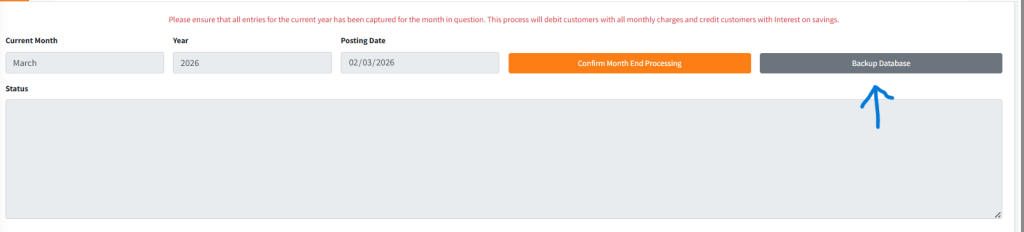
- Click the Backup Database button on the EOM dashboard.
- Confirm the prompt to initiate the background database backup specifically flagged for the End of Month state.
KEY NOTES
- Non-Reversible Action: The End of Month processing is final. Ensure all data capture for the month is absolutely complete before executing.
- GL Discrepancies: If a General Ledger discrepancy halts the process, a specialized modal will present the differing amount, offering a strictly controlled option to transfer the difference to a suspense account to unblock the EOM run.
- Calendar Validation: If the process fails immediately, check the Smart App Calendar. The system will refuse to run EOM if the configured month-end dates are not properly defined in the Company Setup.
- Performance: Given the heavy transaction volume involved in posting universal charges and interest, the operation may take several minutes. Do not refresh or close the browser during the automated sequence.